 Book 15 minutes
Contractor Field Operations Software
in Reading, PA
Your day happens at customer properties—not behind a dispatch desk. Bring project details, estimates, field notes, photos and billing preparation into a workflow tailored to your crew and office.
These supplied app screens illustrate a contractor workflow using sample records. XYX Contracting is a demonstration name. This is a visual showcase, not access to a client’s app or customer data.
From the first request to the final invoice.
When information lives in separate texts, camera rolls and notebooks, someone has to piece the job together later. A custom app can keep those details with the project, helping your team spend less time reconstructing what happened and more time moving the work forward.
Know what needs attention next.
Keep the next action beside the job: review an estimate, capture a photo, add a note or prepare an invoice. This example is built around work at the customer’s property—not truck dispatch.
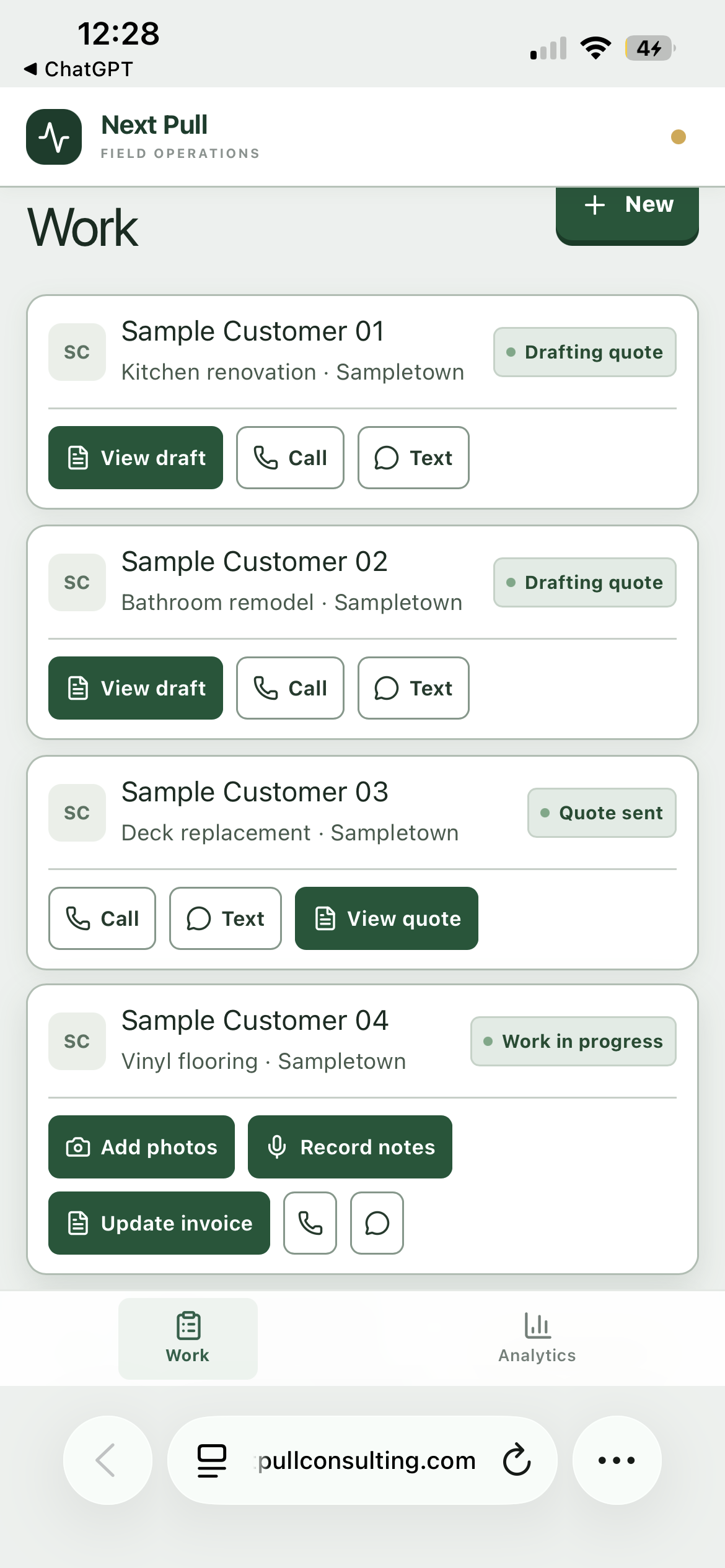
Keep the job story in one place.
Give field and office staff a shared project record, from the initial request through site-visit notes and closeout. Shape the handoffs around how your team actually estimates and completes work.
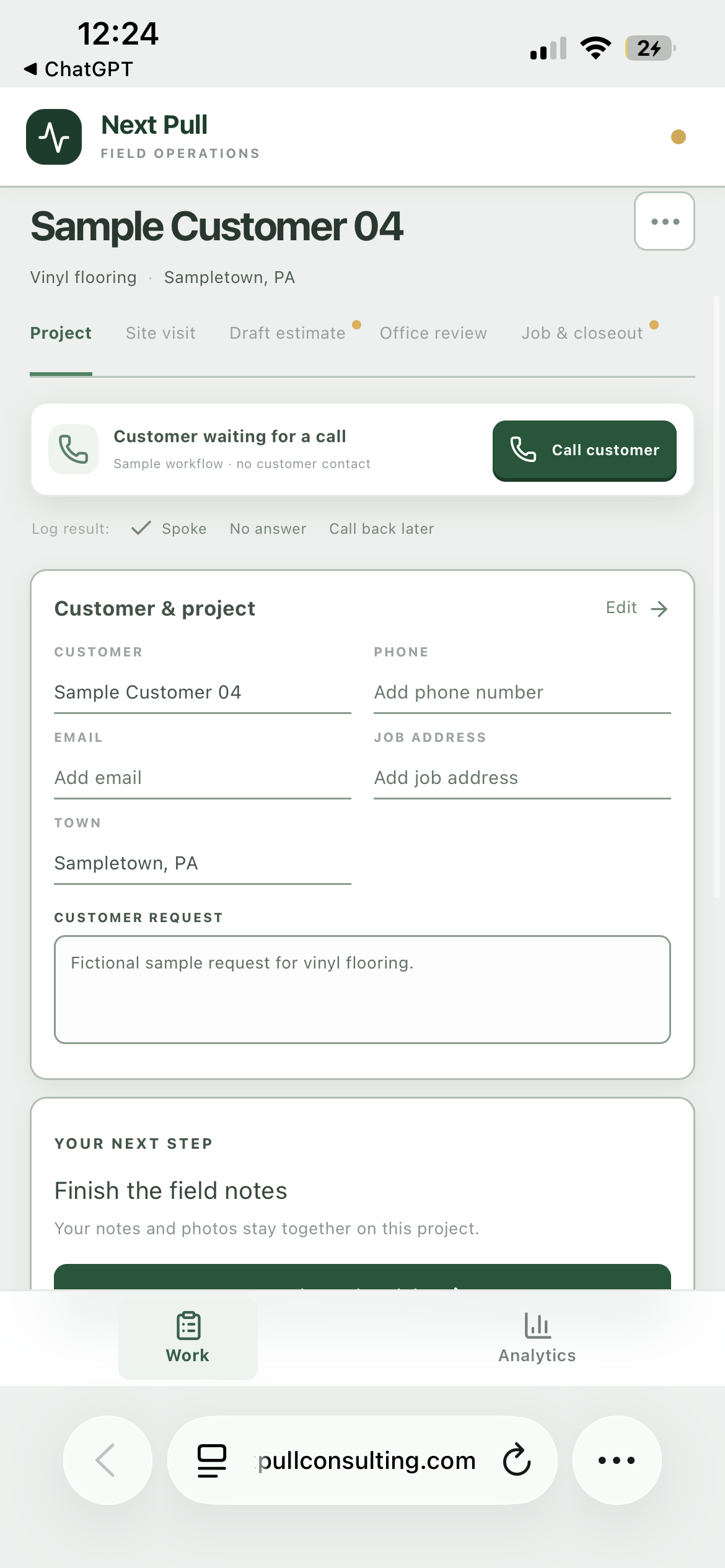
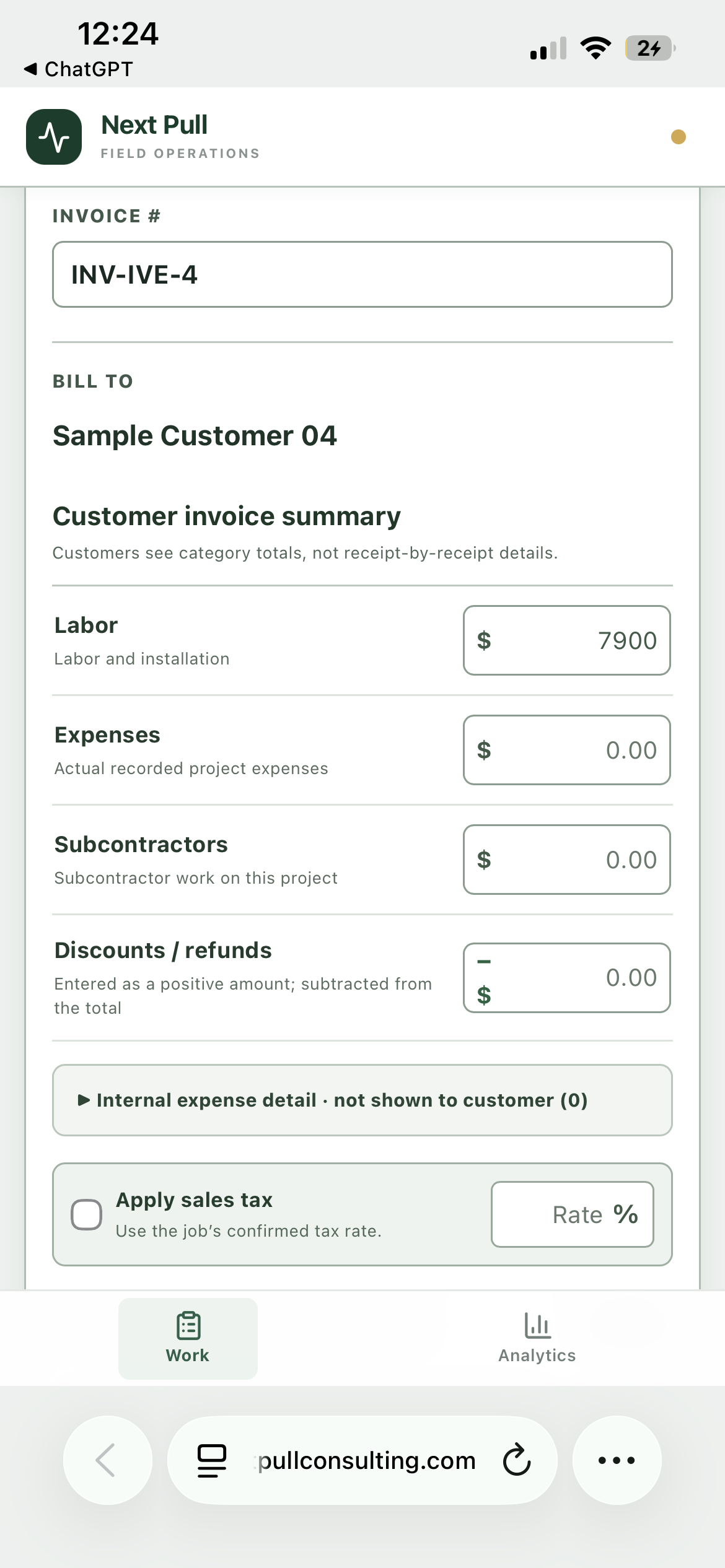
Bring the details together before billing.
For time-and-materials work, agree how labor and materials will be recorded and reviewed. The example separates labor, expenses, subcontractors and adjustments so the office can check the invoice; time entry, rates, tax handling and accounting connections are scoped for your business.
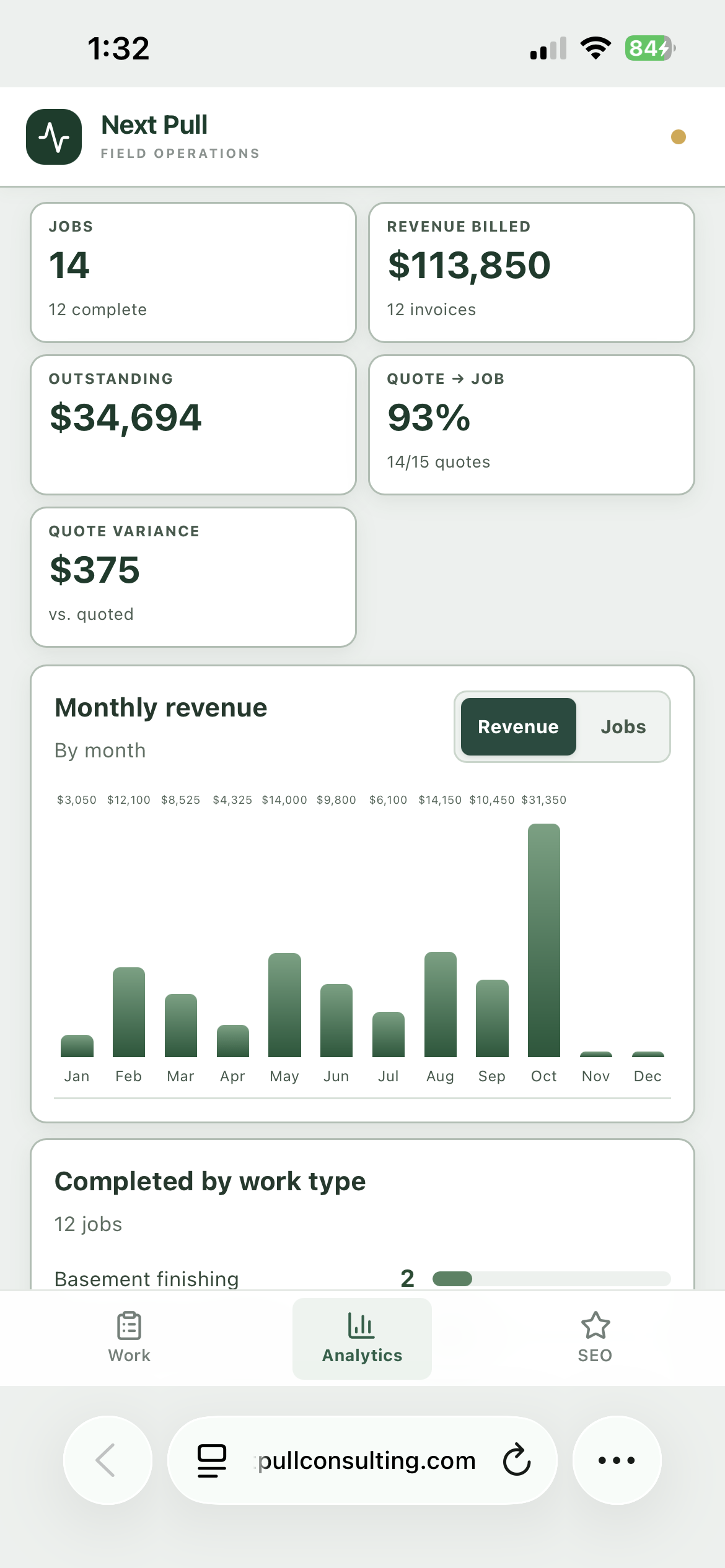
See the work beyond today’s job.
An owner view can bring job activity and billing information together. Choose the measures that help you plan and follow up. The figures shown are demonstration data, not client performance or promised results.
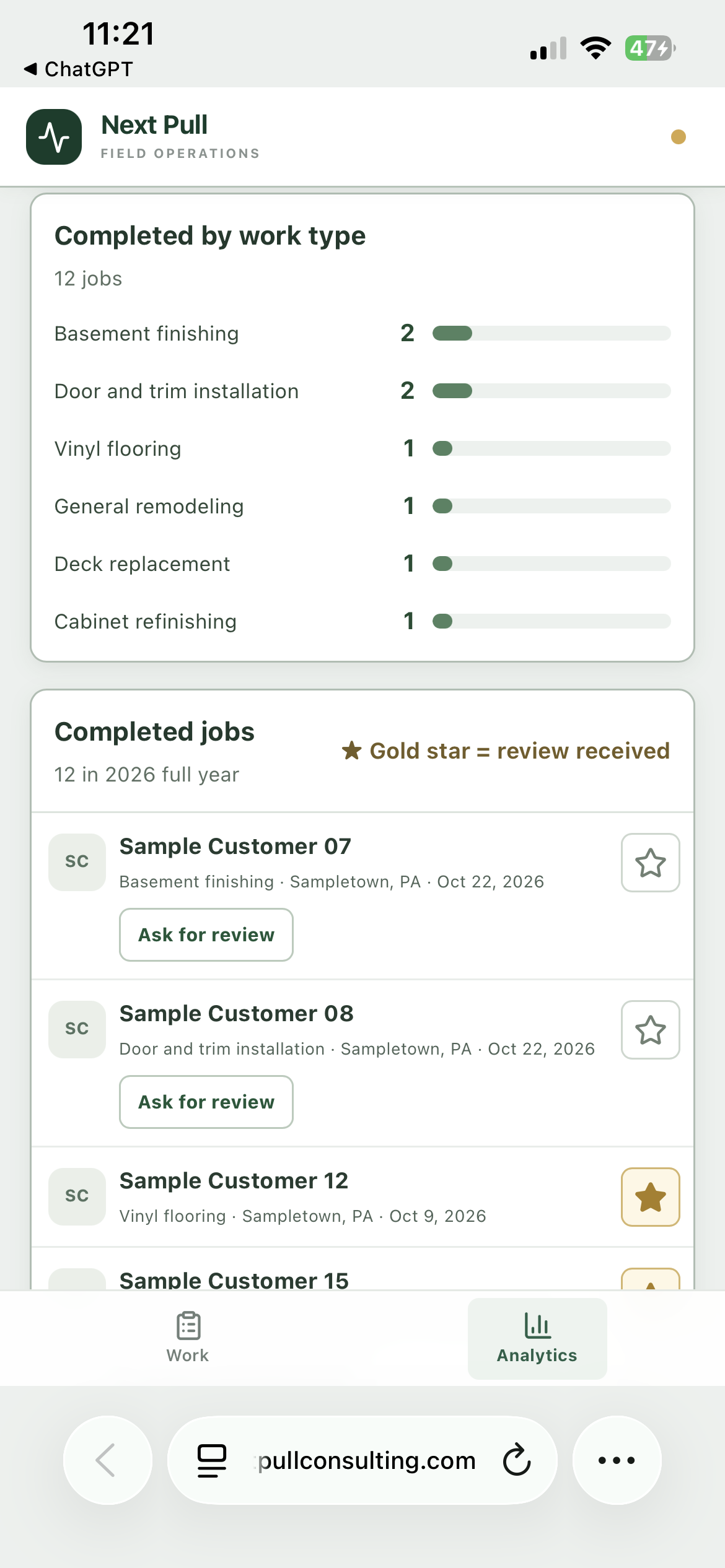
Keep review follow-up with completed work.
See which completed jobs have a review recorded and which are ready for a genuine follow-up. Your team controls the request; the app does not create or guarantee a review.
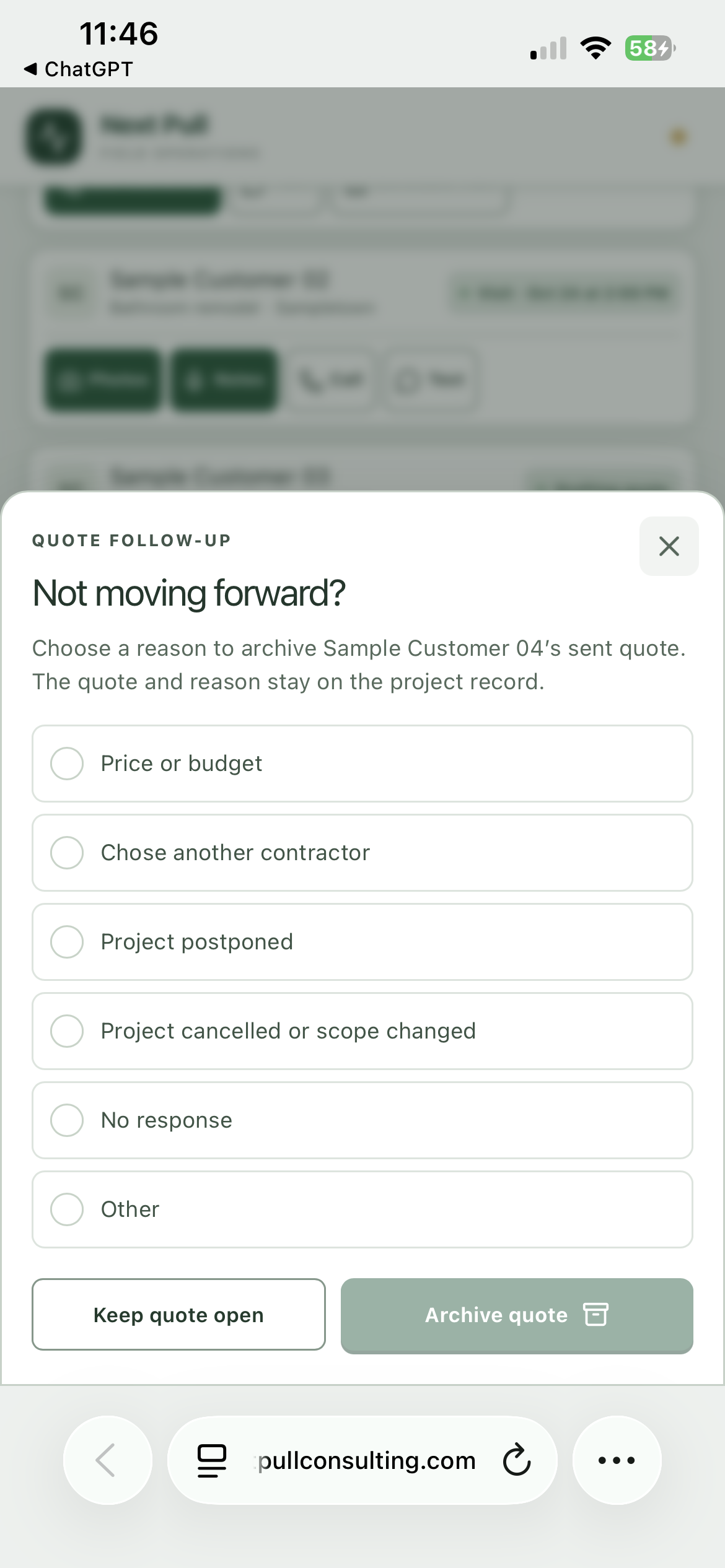
Record why a quote did not move forward.
Choose a simple closeout reason and keep the quote available as a record. Over time, those notes can help the owner review patterns without relying on memory or scattered messages.
Useful project records can support your website, too.
Every SEO plan includes one selected app: Field Capture, Standard Workflow or Complex Operations & Dispatch. The Complex Operations & Dispatch app, with dispatching, routing, optimized scheduling, performance tracking and digital tickets, is one of the app choices for an SEO plan, or a standalone license. Plus adds an organized project library to ongoing Google Business Profile and Yelp support; Pro uses that library for intentional local page development and broader platform management. With a configured photo-and-notes workflow, your team can record the work performed, town, project challenges and completed result. Approved material can then support useful project stories and relevant service-area content through your local SEO and Google Business Profile support.
Publishing requires permission and a review of private details. Photos and notes do not automatically publish to your website, and neither location metadata nor a town page guarantees rankings.
Your process determines what gets built.
Start with the steps your team needs: inquiry, site visit, estimate, approval, job updates, invoice preparation and follow-up. Agree the fields, responsibilities and support before implementation.
What is shown versus what is connected: these are screenshots of interface workflows. Messaging, online payments, accounting integrations, AI features and automated follow-up are not verified live by this showcase. Any required connections must be included in your scope, configured and tested before use.
Your app, accounts and customer records remain separate from other clients. This public example does not connect to or change the original contractor application.
Need delivery scheduling instead? Explore the concrete operations example →
Show us where the paperwork piles up.
Discuss your estimating, on-site work and office handoffs in a free 15-minute introduction. We’ll identify what needs configuring and what needs a custom solution.
Discuss my contractor app →Implementation and integrations are scoped separately. See service pricing.